The Products section of the data collection form is a mandatory section.
It allows you to provide a breakdown of your product and its components and enter compliance information against legislation or standards required by your customer.
In most cases the Product Id column of the Product Description section will be pre-populated with the product(s) that you supply to your customer.
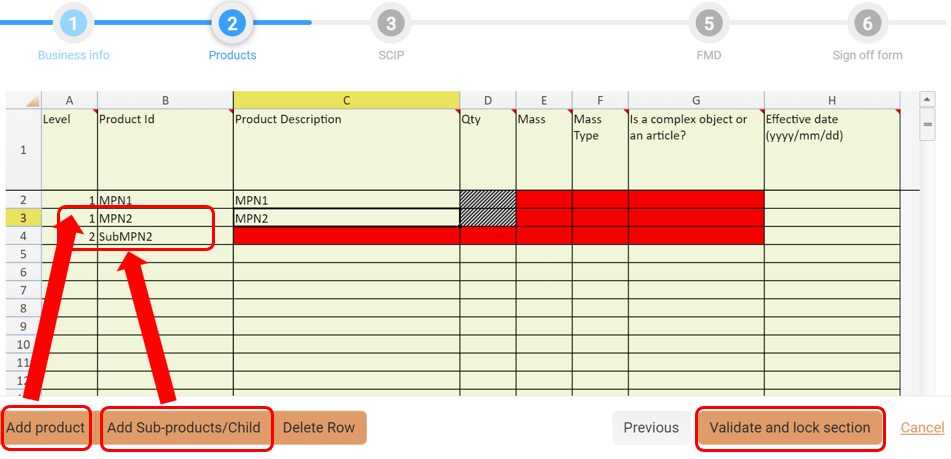
Click in the appropriate cell to add data to the mandatory fields in red.
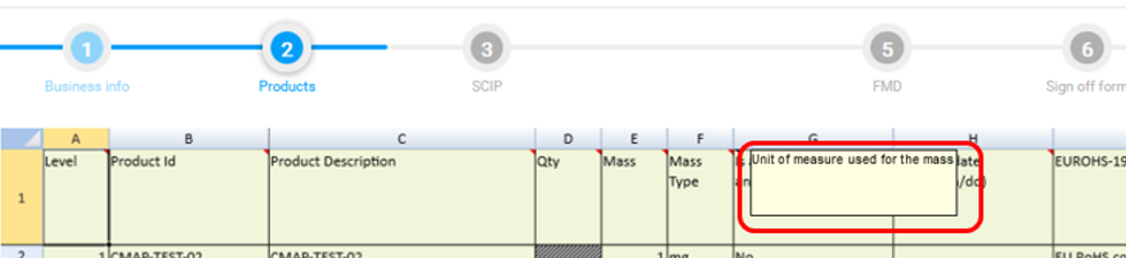
Hovering over field headings will show tips (where available).
To include additional product information click the:
-
Add Product button to add new or additional products to the list.
-
Add Sub-Products/Child button to add a level below an existing product/sub-product
The Product will be listed as Level 1, indicating this as the top level product
Sub-Products will show as Level 2, indicating this as a subordinate part into the top level product
e.g. if you have a Level 1 product listed, when you click Add Sub-Products, the row below will become Level 2.
Clicking the Add Product button will automatically specify the Level as 1 to indicate that this is the top level product
If you make a mistake, you can click the Delete Row button to remove arrow.
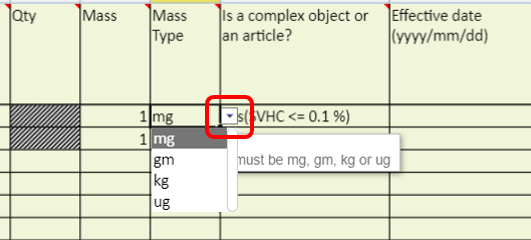
Drop-down arrows within the form will offer a list of appropriate data statements to choose from.
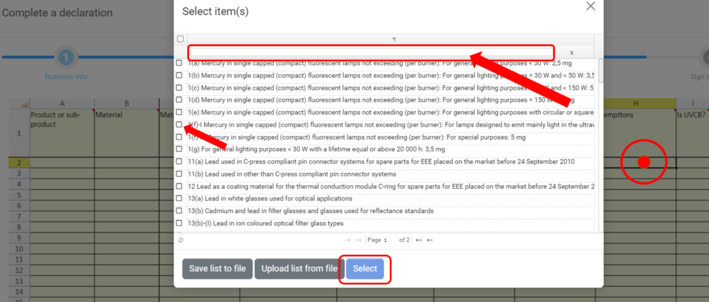
As well as drop-down assistance, when clicking into certain fields a Select Item(s) window will open where you will be presented with a list of pre-determined statements. The Exemptions column is a good example of this (screenshot below).
Your customer may require you to respond to Query Lists applicable to the IPC-1752 standard and may include:
-
-
which is the IEC 62474 standard (XX will correspond to a number referencing the applicable version of the standard)
-
-
-
which is the EU Restriction of Hazardous Substances legislation
-
-
-
which is the applicable version of the EU REACH Candidate List of Substances of Very High Concern
-
Click the Validate and lock section button. Correct any errors as applicable.
End of Section