To properly display this page you need a browser with JavaScript support.
2. Business Info - Mandatory
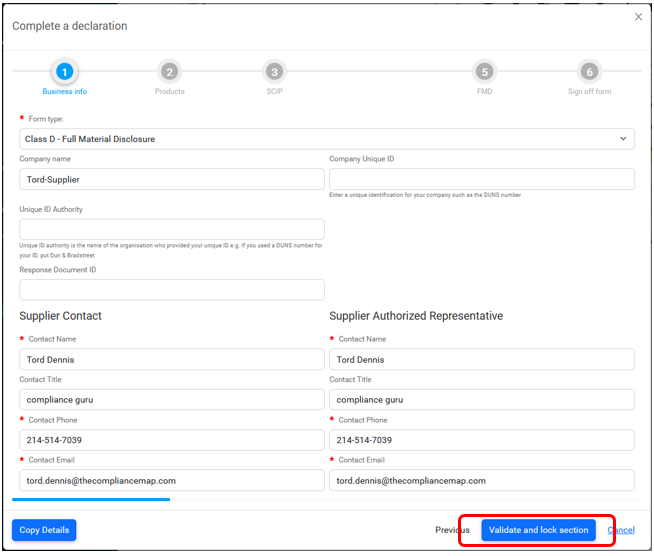
The Business Info mandatory section which allows you to select the Form type
Class A - Query List Only should be used to declare whether or not your product is:
compliant (or contains substances below threshold)
or is not compliant (or contains substances above threshold)
or is compliant by exemption to a preset list of environmental regulations
Class C - Material Summary should be used to provide details of substances of concern that are over reportable thresholds
Class D - Full Material Disclosure also known as FMD, should be used to declare all chemicals and materials used in your product
Supplier Authorised Representative details
Some sections may have been auto-populated by your customer. To change this data, simply overwrite.
All mandatory fields are either marked in red red asterisk *
All mandatory fields must be populated before you will be able to Validate and Lock the section of the form, and progress to the next page.
Complete the Supplier Contact section with:
If the Supplier Authorized Representative Copy details
Click the Validate and lock section
End of Section