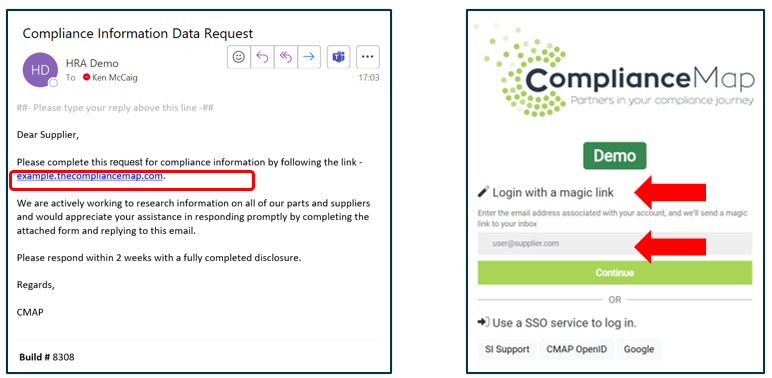
As a supplier you will receive a Portal materials declaration request via email. The email will contain a URL which will take you to the Magic Link login page.
Click the URL within the email and, in the new window, enter your email address in the Magic Link section and click Continue
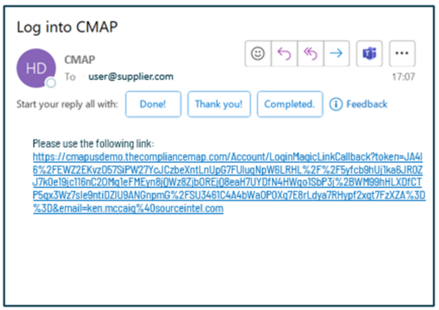
You will receive a new email with a link which contains an embedded authentication code.
Clicking the link will authenticate and allow access to the Material Declaration Collection Portal.
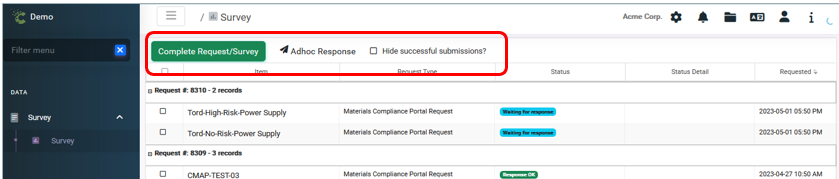
Once the portal has been accessed, you will have the opportunity to:
Complete Request/Survey - React to customer request for material declarations
Adhoc Response - Submit unprompted material declarations
View successful submissions - Uncheck the "Hide Successful Submissions" button (these submissions are Read Only and are not editable)
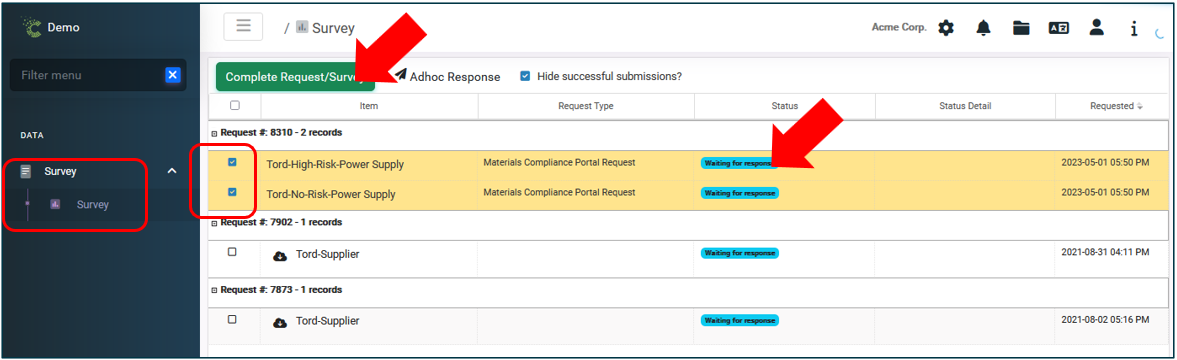
Select the Request, or Requests, which you would like to respond to (will show in status "Waiting for response") and click Complete Request/Survey